Add-Ons
When creating a reservation, you can select available add-ons to attach to the reservation. Add-ons are services, packages, or goods that can be added to the reservation to personalize the guest's stay.
Note: Add-ons are configured in SynXis CRS → Setup → Packages → Package Setup.
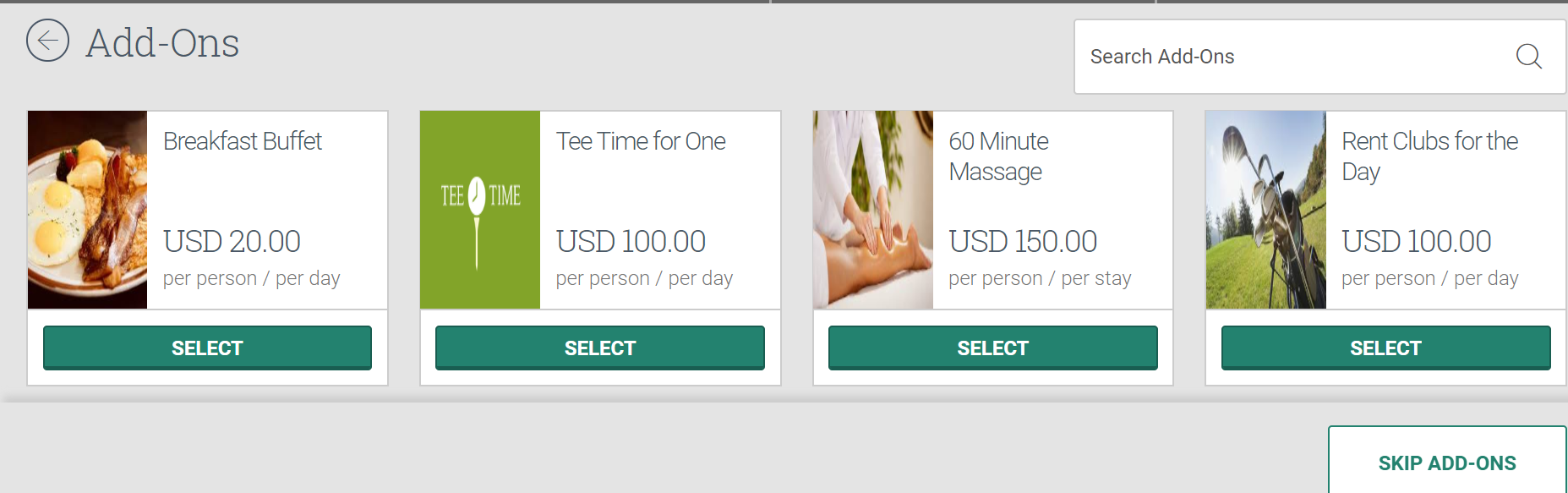
From this page you can:
Search add-ons
Search for a specific add-on or type of add-on by utilizing the search box.
-
In the Search Add-Ons search box, type in all or part of the add-on name.
-
Matching results are automatically displayed in the Add-On section.
Attach add-on
Attach an add-on to the reservation you are creating.
-
Click Select under the add-on you want to add. A pop-up for the add-on displays.
-
Select the dates for which the add-on will be delivered or provided to the guest. If the dates are pre-checked and grayed out, those days are required to book the add-on.
-
Select the number of guests in the room that will receive the add-on. Depending on the add-on, you may need to enter the number of adults and/or children.
Note: Post add-ons to the primary guest folio only. Follow the rate plan configuration for posting add-ons to a folio, and apply internal routing for any add-ons you attach to the Guest Folio.
-
The Pricing Detail section displays the total amount + taxes for all guests receiving the add-on.
-
Click Add to Reservation.
-
Repeat process for each add-on you wish to attach to the reservation.
-
Click Continue Booking to move to the next step of the reservation.
Skip add-ons
The Add-Ons step is optional and can be skipped.
-
Click Skip Add-Ons to continue to the next step in booking the reservation.
